
A Beginner's Guide to Dedicated Hosting

A Beginner’s Guide to Dedicated Hosting

When you start experiencing that your website has become slower and had a degradation in performance with a massive increase in traffic to your website, it may be signalling that you have reached your hosting capacity. Also, if you are a new website owner looking to host a resource-intensive website like e-commerce or a news portal, then you may need a hosting that can tackle all your requirements. This is where Dedicated Hosting fits right into the frame.

What is Dedicated Hosting?

A Dedicated Hosting, as opposed to Shared Hosting, allocates the entire physical server to one client. The server can be used as per the needs of the clients. It can be managed and configured as per the website requirements. Complete root access is given to the client with the freedom to install any operating system or software. Also, the resources of the server such as bandwidth, RAM …

A Beginner’s Guide to Dedicated Hosting CONTINUE READING >>>
Why SEO Is The Parent Of Online Business And Its Growth?

Why SEO Is The Parent Of Online Business And Its Growth?

SEO refers to Search Engine Optimization that helps to optimize the search done by the audience in a search engine. If the content is the king and language is the queen then SEO is the parent of everything. No matter how good your content is or how well you have designed your website, if you will not get SEO done for your online business it is of no use.

For example, if you are a seller of any goods or services, you need to showcase that at some place. You need to display your goods at a physical place where buyers or visitors could see.

Even if you have the best products in the market but not displayed correctly, nobody will be going to buy it. Why? The reason is simple that your products are piled up and not clearly visible to your visitors. Due to lack of visibility …

Why SEO Is The Parent Of Online Business And Its Growth? CONTINUE READING >>>
How to Build A Website Using Dreamweaver

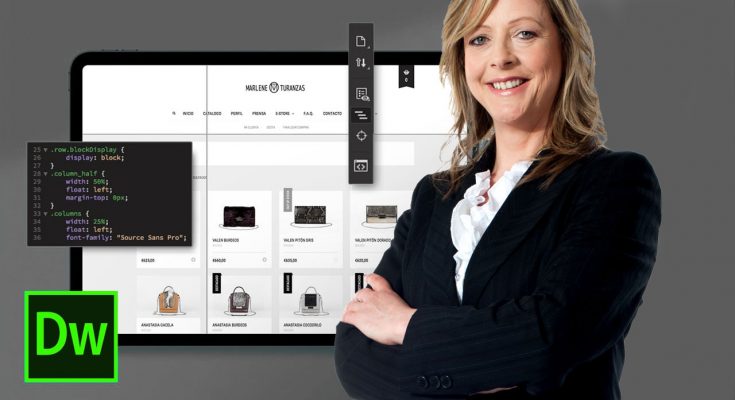
How to Build A Website Using Dreamweaver

If you would like to understand how to create a website, then look at this article. It will give you many ways on the way to produce a website while using Dreamweaver software.

Macromedia Dreamweaver is easily the most popular internet site editor tool. It enables you to build a website with small HTML knowledge. It allows source code to be edited easily. Dreamweaver has characteristics including templates to produce easy global change quickly and JavaScript behaviors to help you to make rollover graphics and to know how to code scripts.

Have some suggestions on the way to develop a website while using Dreamweaver. Let’s get started:

  • Start Dreamweaver
  • In the toolbar menu at the pinnacle head to Site
  • Click “New”.
  • Click on ” Local Info” around the left-hand pane. In “Site Name” type “Your Web site’s name”. In “Local Root Folder” click on the yellow icon to browse for
How to Build A Website Using Dreamweaver CONTINUE READING >>>

Common Mistakes in Creating a Web Design

I am 100% sure that there isn’t a good single website that’s perfect since every webmaster has his vision of design in addition to their flaws, too. When designing a website, designers need to take into consideration the expectations of the visitors. They should be more concerned with just what the users want and never in doing what they want of a website.

You’ll find below the mistakes which are commonly committed by web designers:

The placing of links. When locating a link on your website, make certain it functions. You regularly need to check if the link you’ve got posted can still be accessed you aren’t.

The using flashy web designs. Flashy designs might seem very attractive to you, but to many visitors, it can be very annoying. The simpler your site is, the higher it’ll appear to be.

The utilization of HTML. There are still many web-site designers …

Common Mistakes in Creating a Web Design CONTINUE READING >>>